SquadStash
Help Center
Find answers to your questions.
Getting Started
Last updated: 2024-05-23
Welcome to SquadStash! This guide will help you set up your team and start managing your finances in minutes.
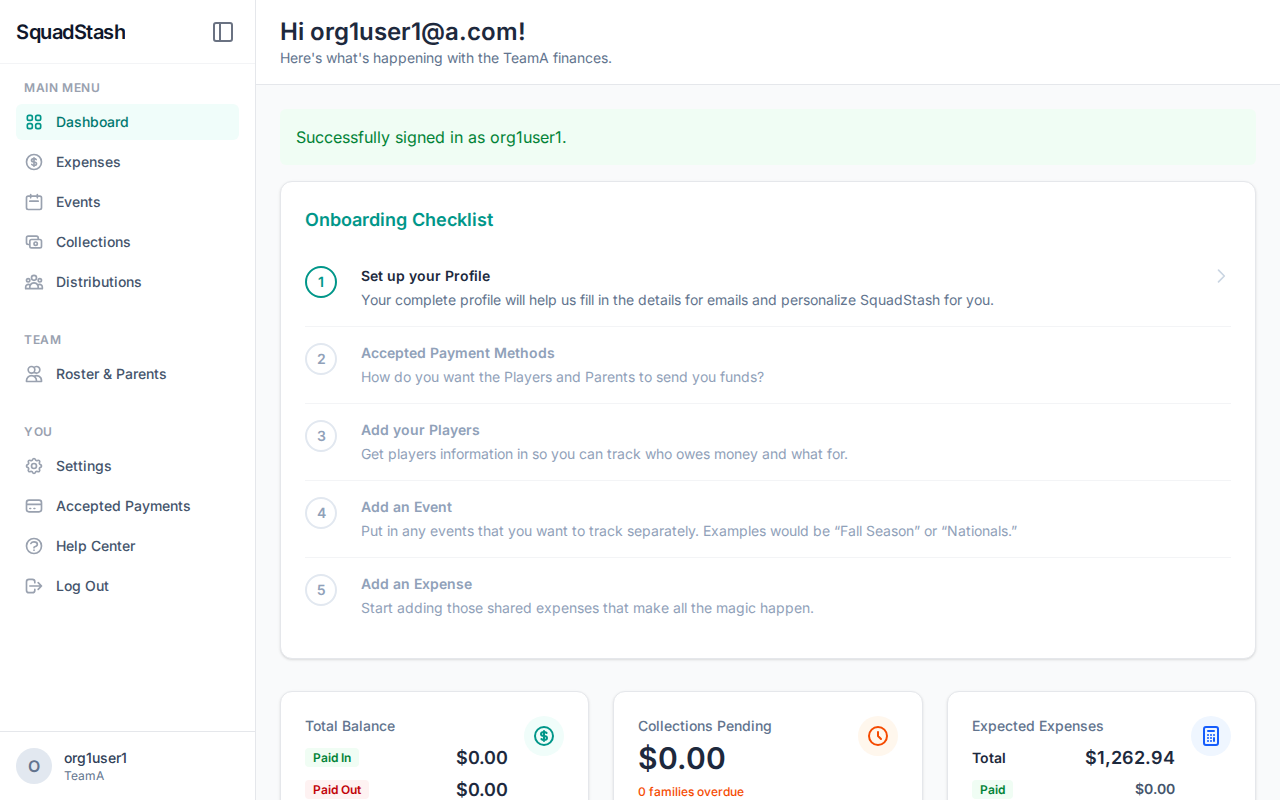
1. Sign Up and Create Your Team
When you sign up for SquadStash, we automatically create a team for you.
- Enter your email and a password.
- Provide your full name and your Team Name (e.g., "Tigers 2024").
- Agree to the Terms of Service.
2. Configure Payment Methods
To collect money, you need to tell the system where to send it.
- Go to Settings > Payment Settings.
- Enable services like Venmo, Cash App, or Zelle.
- Enter your handles/usernames.
- Tip: Adding multiple methods makes it easier for parents to pay you.
3. Add Your Players
Build your roster to track who owes what.
- Go to Players.
- Click Add Player.
- Enter the player's name and the Contact Email (essential for sending payment requests).
4. Add Your First Expense
Track what you are spending money on.
- Go to Expenses.
- Click Add Expense.
- Enter the details (e.g., "Tournament Registration", $500).
- You can attach a receipt image if you want.
5. Create a Collection
Ready to get reimbursed?
- Go to Collections and click Create Collection.
- Select the expenses you want to split.
- Select the players who need to pay.
- Finalize the collection to calculate everyone's share.
Next Steps
- Check out the User Guide for more details.
- Learn about Payments.
Need help? Contact support at support@squadstash.com.
Need more help? Contact Support