SquadStash
Help Center
Find answers to your questions.
Profile & Settings
Last updated: 2024-05-23
Manage your personal account and team configuration.
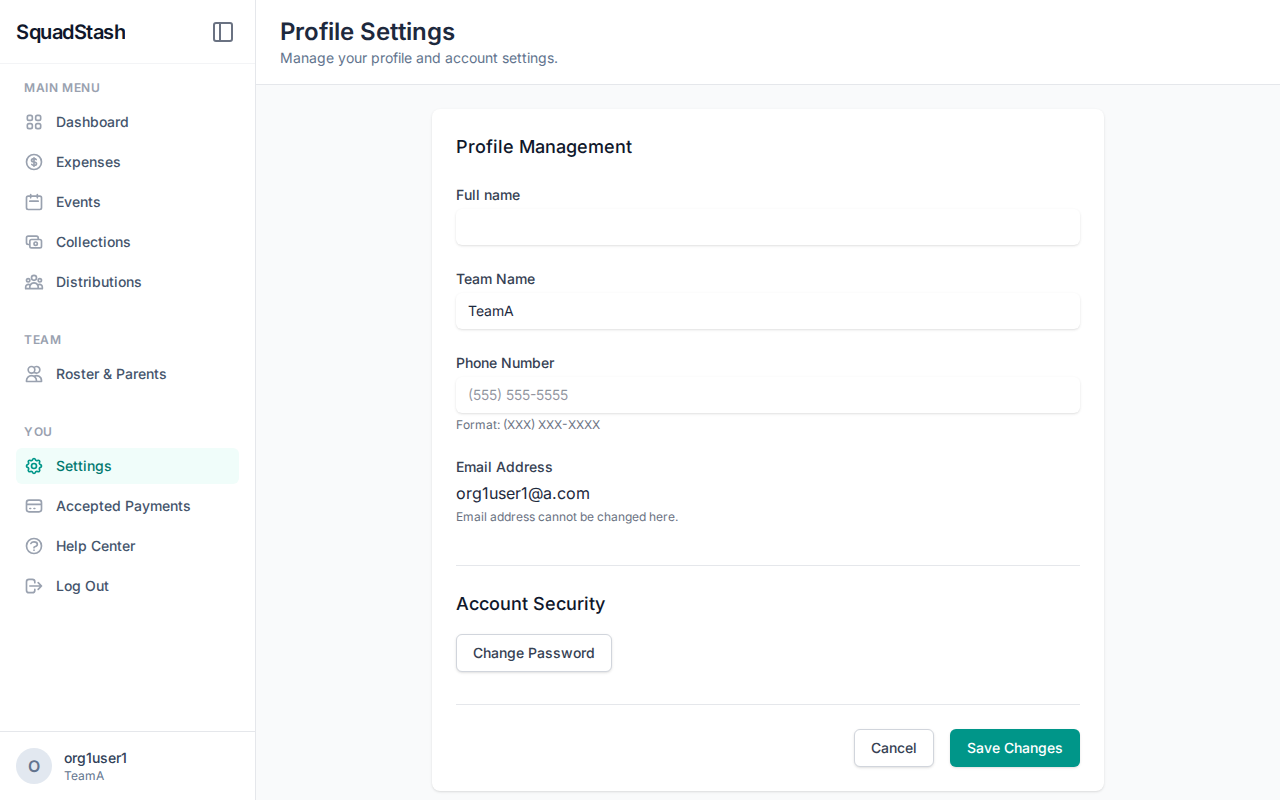
User Profile
Access your profile by clicking your name or avatar in the sidebar.
- Display Name: How you appear to others.
- Phone Number: Used for Zelle payments if configured.
- Teams: View which teams you are a member of.
Team Management (Admins)
If you are a team admin, you can manage the team settings.
- Go to Teams.
- Edit Team: Update the team name.
- Manage Users: Invite other admins or view current access.
Payment Settings
See Payments for detailed instructions on configuring Venmo, Cash App, and Zelle.
Security
- Change Password: Available in the Profile section.
- Log Out: Don't forget to log out if using a public computer.
Need help? Contact support at support@squadstash.com.
Need more help? Contact Support